Designed a user-friendly and intuitive interface for working
with a large database, which simplified navigation, reduced errors, and improved data processing speed.
Role: UX/UI Designer (second designer on the project)
Product type: Government enterprise system
Platform: Web (desktop)
Country: Kazakhstan
Year: Jan-Mar, 2025
All interface screenshots have been translated from Russian
(the original product language) into English for portfolio purposes.

Context & My Role
Kazakhstan's state social payments operator had been running on a system that had barely changed since 2002. Over 20+ years, it was updated twice — but only on the technical side, with no design involvement. In 2025, a third update began: for the first time, with a focus on UX. The initiative came from the company's VP, who wanted to build an interface that would stand the test of time.
System in use since 2002
I joined the project as the second designer. The design system and visual language had already been established by the lead designer. My responsibility was to design four key modules from scratch within that system: SIC (Social Identification Card), Audit, Payment Generation, and Return Processing.
I worked closely with product managers and developers — receiving technical specifications, clarifying details in calls, and iterating on designs based on team feedback.
The Problem
Why It Mattered
The CBD is the system through which government operators at public service centers and relevant agencies process benefits and social payments for hundreds of thousands of citizens. An operator mistake means a delayed payment for a real person.
The old interface was built on a "one function, one page" logic. Over the years, the system had accumulated hundreds of screens with duplicated logic, inconsistent patterns, and outdated forms. Operators had to navigate between dozens of loosely connected sections to complete a single task.
Users
Government employees: operators at public service centers (CSC) and staff at relevant agencies. Experienced, daily users — who had grown accustomed to inefficiency as the norm.
How do you design complex operational modules that feel intuitive
to experienced government operators — while fitting into a unified design system built to scale for years ahead?

Research & Analysis
There was no formal user research on this project — a constraint of the context (government client). I actively compensated for this through other methods.
Specs as research
Government specs contain detailed business logic — roles, scenarios, edge cases.
I read them as a researcher, finding contradictions and hidden pain points.
Working sessions
For every complex screen I ran through questions with PMs
and devs: who sees this, what happens in each state, how is it done today.
Existing interface audit
Operators work fast and scan, they don't read — the interface needs to deliver the answer at a glance
Many actions share the same structure but differ in context — unified patterns are needed, not unique screens
Critical actions (deregistering a SIC, deleting an ID) require explicit confirmation — the cost of error is high
Process: Four Modules
SIC Module — Citizen Social Card Lifecycle
The core challenge: each state required a different set of available actions and a different level of confirmation — while all states needed to feel like part of the same system.
Citizen profile

SIC Registration

Audit Module
The core challenge: a high volume of data, combined with the need to quickly locate a specific event among thousands of records.
Recipient search

Recipient search

Citizen card

List of children whose date of death dose not match the risk date

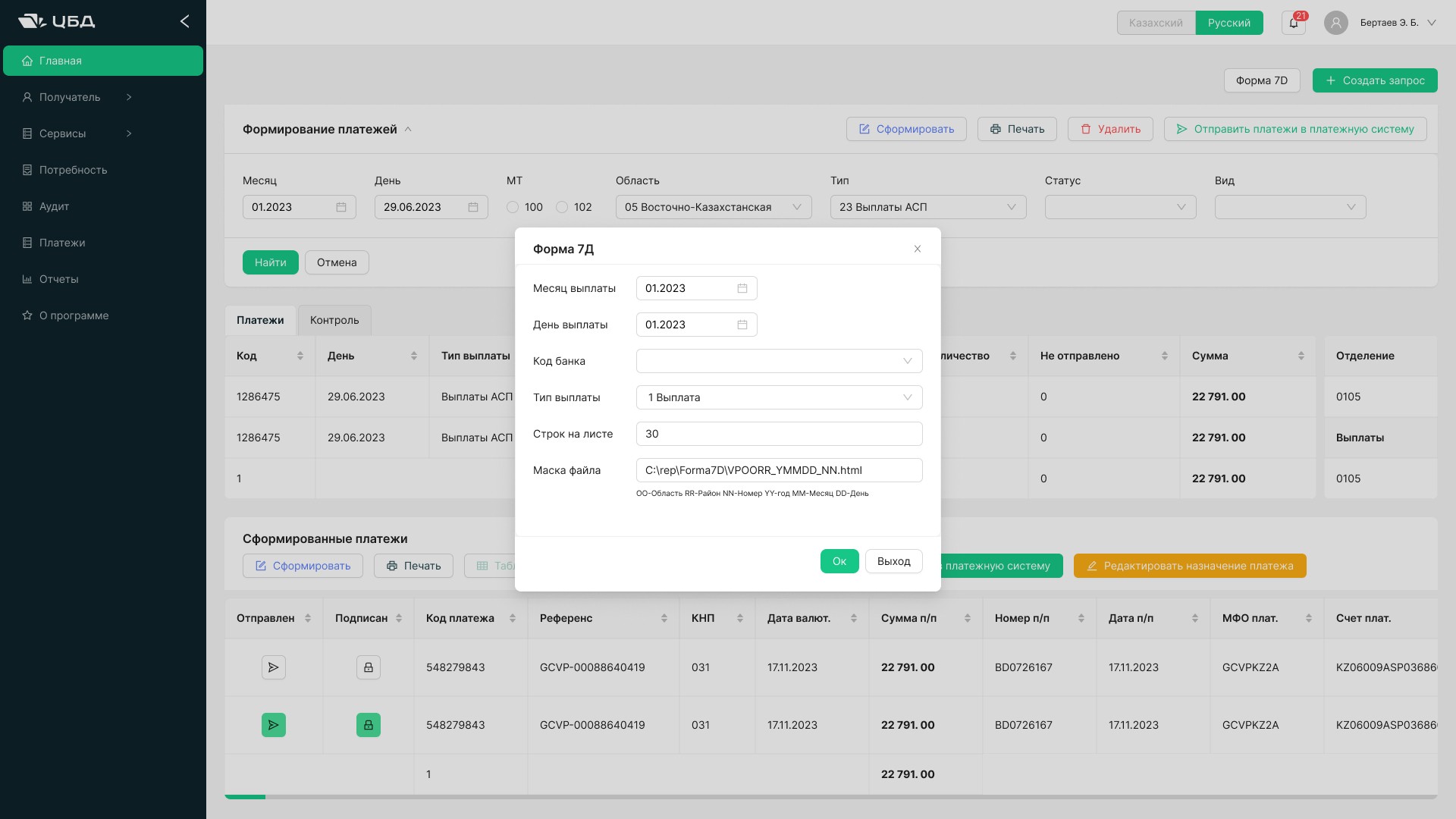
Payment Generation
Core challenge: multi-step process with dependent fields and business rules that change by benefit type
The heart of the system — operators generate payments for citizens.
I designed a step-by-step flow with a clear progress indicator. Each step validates independently. Before submission, a summary screen allows returning and editing.

Return Processing
Core challenge: a return is not "cancel a payment" — it's a multi-stage process with statuses, documents, and responsible parties
I visualised the return lifecycle as a status sequence — the operator always sees which stage each case is at and what needs to be done next. This reduced cognitive load and minimised the risk of missing a step.


Design Decisions
Single entry point via national ID
Across all modules involving a specific citizen, IIN search is the first screen. No need to remember which section holds which function.
Status-driven architecture
One screen with dynamically changing available actions depending on record status — instead of a separate page per state.
Explicit hierarchy
for destructive actions
Irreversible actions sit behind an additional confirmation with a description of consequences. Standard for high-cost-of-error systems.
Tables as primary data pattern
Government operators work with high data volumes. Dense tables with smart filters over card-based interfaces — matching actual user context.
Outcomes
Exact metrics are unavailable due to NDA.
All four modules were designed and handed off to development.
The designs passed review with the product team and technical stakeholders without fundamental revision requests.
More significant than numbers is the context: a system the government
uses to deliver payments to hundreds of thousands of citizens received
UX-principled design for the first time in 20 years. This lays the groundwork
for scaling without accumulating new interface debt.
Other projects
